


















Table of Contents
- • WPS Office Review Summary
- • About WPS Office
- • Other opinions about WPS Office
- • Comprehensive Overview of WPS Office
- • WPS Office Review
- • WPS Office for Windows Review
- • WPS Office for Mac Review
- • WPS Office for Android Review
- • WPS Office Pros & Cons
- • WPS Office vs Microsoft Office
- • WPS Office AI Features and Workflow
- • WPS Office Collaboration and Cloud Sync
- • WPS Office Delivery Information
- • Contact WPS Software
- • Where to buy WPS Office?
- • Conclusion of WPS Office reviews & ratings
WPS Office Review Summary
WPS Office is an all-in-one office suite designed for document creation, spreadsheet management, and presentation tasks, often serving as an alternative to Microsoft Office and Google Workspace. It generally offers smooth performance across platforms with AI-powered features that aim to streamline workflows. While it performs well in most areas, users may encounter limitations in advanced features and interface consistency between devices.
Highlights
- Suitable for users needing cross-platform office tools
- Includes Writer, Spreadsheet, Presentation, PDF, and cloud collaboration
- Advanced features are limited and some tools have a steeper learning curve
- Overall functional and user-friendly with a score of 8.1/10
In the broader context of office productivity software, WPS Office provides a viable option alongside established competitors, balancing functionality and ease of use with some trade-offs in advanced capabilities. Alternatives exist with varying strengths, and users can find a detailed perspective in the WPS Office review.
About WPS Office
Managing multiple documents, spreadsheets, and presentations can be time-consuming and inefficient across different devices. Many users seek a unified tool that simplifies this process while maintaining compatibility with popular file formats. Collaboration and cloud access also present challenges when working remotely or on the go.

WPS Office is a comprehensive productivity suite designed to address these needs. It integrates word processing, spreadsheets, presentations, and PDF tools within a single application. Positioned as a versatile alternative in the office software market, it supports cross-platform use on Windows, Mac, Linux, Android, and iOS.
WPS Office serves millions of users worldwide and holds certifications for security and data privacy standards. It offers compatibility with Microsoft Office formats and includes cloud features for real-time collaboration. Its adoption by both individual and enterprise users reflects its practical utility.
While WPS Office aims to streamline office productivity, some advanced features may not be as intuitive as those in other suites. Users should consider their specific workflow requirements when evaluating the software. For a detailed assessment, visit our WPS Office review to understand its strengths and limitations.
Other opinions about WPS Office
Opinions and insights gathered from trusted review articles and authoritative websites covering WPS Office.
Comprehensive Overview of WPS Office
WPS Office is a productivity software suite developed by Kingsoft, a Chinese software company. It provides users with tools for word processing, spreadsheets, presentations, and PDF management. The suite is designed to be compatible across various platforms, including Windows, Mac, Linux, Android, and iOS.
The development of WPS Office focuses on offering a unified, all-in-one office suite that supports cloud collaboration and AI-powered features to enhance productivity. It integrates with major file formats and cloud services, ensuring seamless usage across different devices and operating systems. The software's modular structure includes components like Writer, Presentation, Spreadsheet, and PDF tools consolidated into a single application.
WPS Office operates globally, serving millions of users and businesses by providing essential office tools paired with advanced automation capabilities. The product undergoes continuous updates to meet security standards and user needs, as outlined in various WPS Office Review sources. It is positioned as a versatile solution for individual and enterprise use in document creation and management.
WPS Office Review
WPS Office is a comprehensive productivity brand offering an integrated suite of tools designed to enhance document creation, data management, and presentation development. It prioritizes seamless user experience across multiple devices, incorporating AI-powered assistance to support automation and efficiency in everyday office tasks. The brand emphasizes compatibility and cloud integration to support collaborative work environments.
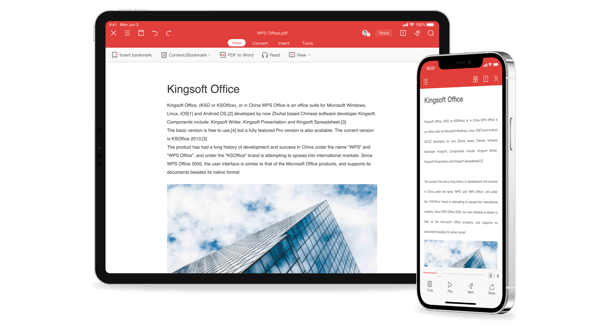
The brand provides a single app combining word processing, spreadsheets, presentations, PDF management, and photo editing, supporting compatibility with Microsoft Office and Google Workspace formats. It is accessible on Windows, Mac, Linux, Android, and iOS platforms, featuring cloud storage, real-time collaboration, and multi-device syncing to facilitate teamwork and continuity. Their tablet app is noted for its intuitive design and performance, while the entire suite includes a rich resource library and a range of AI features that enhance productivity.
WPS Office Highlights- Integrated productivity suite
- Cross-platform compatibility
- AI-driven task automation
- Cloud-based collaboration
- Extensive templates and resources
WPS Office for Windows Review
WPS Office for Windows provides a comprehensive office suite tailored for both personal and business productivity. It includes AI-enhanced tools for document formatting and data analysis to streamline workflow.
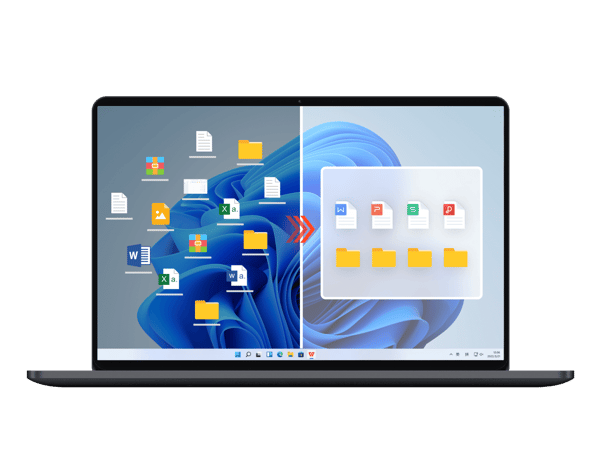
This version is optimized specifically for Windows and offers full compatibility with Microsoft Office formats. It integrates cloud services to support real-time collaboration and syncing across multiple devices.
The pricing details for this product are not specified in the provided information. Overall, WPS Office for Windows serves as a versatile option for users needing a compatible and feature-rich office solution with cloud capabilities.
Check Price • wps.com
WPS Office for Mac Review
WPS Office for Mac offers Mac users a comprehensive office suite that includes word processing, spreadsheets, presentations, and PDF tools. It ensures seamless compatibility with Microsoft Office and Google Workspace formats, making file sharing and collaboration straightforward.
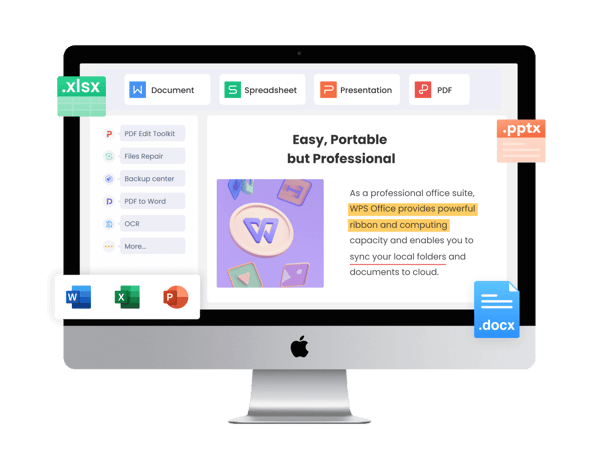
The suite is designed to provide smooth performance and incorporates AI-driven workflow enhancements to improve efficiency. It also supports cloud-based collaboration and synchronization across multiple devices, allowing users to access their work wherever needed.
While the product features are well outlined, pricing details have not been provided in the source. WPS Office for Mac remains a versatile option for users seeking an integrated office solution with a focus on compatibility and cloud collaboration.
Check Price • wps.com
WPS Office for Android Review
WPS Office for Android is a mobile application that combines word processing, presentation, and spreadsheet functions in one platform. It facilitates cloud storage access and real-time document editing across multiple devices, enhancing productivity on the go.
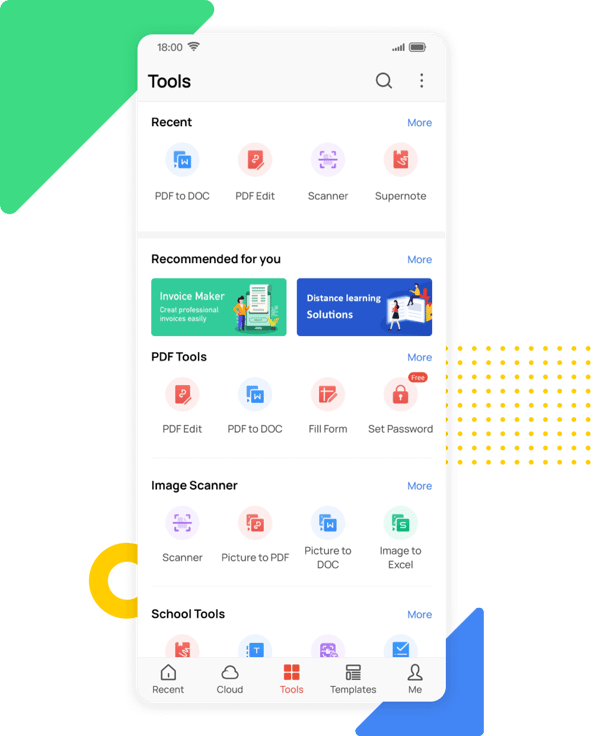
The tablet version offers a user-friendly interface based on Material Design principles, which provides a smooth and intuitive experience. In contrast, the phone app is more limited in features and better suited for quick, minor edits rather than extensive work.
Integration with Dropbox and support for various file formats improve the app's flexibility and usability. Although the source does not specify the pricing details, the app is noted for its comprehensive capabilities within a single free application option.
Check Price • wps.com
WPS Office Pros & Cons
WPS Office offers strong compatibility with Microsoft Office and Google Workspace file formats, making it a practical choice for users needing seamless cross-platform document access. Its AI-powered tools simplify tasks such as document formatting and content creation, complemented by integrated PDF functionalities for compression, signing, and conversion. Cloud storage features support real-time collaboration and multi-device synchronization, enhancing productivity across Windows, Mac, Linux, Android, and iOS devices.
However, many advanced features, especially for PDF editing, require a paid subscription, which may limit functionality for free users. The mobile phone app has a less intuitive layout and limited editing capabilities compared to the tablet version, and some advanced chart options in spreadsheets can be less straightforward to use. These limitations should be considered by users seeking comprehensive and user-friendly mobile editing tools.
- • Strong Microsoft Office compatibility
- • Google Workspace integration
- • AI-powered document and content tools
- • Integrated PDF compression and signing
- • Real-time cloud collaboration
- • Multi-device synchronization
- • Available on major platforms
- • Extensive templates and creative resources
- • Advanced PDF editing behind paywall
- • Confusing phone app layout
- • Limited mobile editing features
- • Some advanced chart options missing
WPS Office vs Microsoft Office
WPS Office offers a lightweight and cost-effective alternative to Microsoft Office, featuring strong compatibility with Word, Excel, and PowerPoint files along with a free tier and integrated AI enhancements. Microsoft Office, however, provides a more extensive set of advanced features and a wider ecosystem supporting professional and enterprise use.
While WPS Office excels with its all-in-one suite, cloud collaboration, and multi-platform support, making it accessible across various devices, Microsoft Office has a more polished mobile app and provides more intuitive advanced functions, especially for users requiring intensive mobile edits.

- Lightweight design
- Free tier available
- AI enhancements integrated
- Cloud collaboration
- Multi-platform support

- Extensive advanced features
- Broader ecosystem
- Polished mobile app
- Intuitive advanced functions
- Professional and enterprise focus
WPS Office AI Features and Workflow
WPS Office incorporates AI to simplify productivity tasks such as document formatting, content creation, presentation design, and data analysis, reducing manual effort and accelerating workflows. The AI assistant automatically optimizes layouts, generates outlines, enhances slides with professional designs, and produces data insights through smart charts and summaries. These AI tools support users in maintaining focus on key content while ensuring polished presentation and clear data visualization.
Key AI capabilities include auto-formatting and design optimization, content drafting with tone refinement, instant creation and adjustment of slides, and AI-driven data analysis and report generation. These features collectively enhance efficiency and output quality across different types of office work. By leveraging AI, WPS Office streamlines complex tasks, making productivity more accessible and effective.
WPS Office Collaboration and Cloud Sync
WPS Office facilitates seamless collaboration through cloud-based document storage and real-time editing capabilities. Users can access and work on documents from any device while collaborating with teammates simultaneously. The platform ensures efficient teamwork by supporting features such as automatic saving, multi-device synchronization, and interactive commenting with change tracking.
The collaboration tools include secure cloud storage with automatic backups, real-time co-editing complete with cursor tracking and comments, and device-agnostic synchronization across desktops, tablets, and mobile devices. This system enables flexible and productive remote or distributed work environments.
WPS Office Delivery Information
WPS Office is delivered digitally and accessible through online download links available on the official website or app stores. The software is compatible with multiple platforms including Windows, Mac, Linux, Android, and iOS. No physical shipping or handling is involved as the product is a digital software suite.
Delivery is instant upon purchase or sign-up, allowing immediate access to the software. There are no shipping costs or tracking since no physical items are shipped. Operational considerations include platform compatibility, ensuring the software functions correctly on supported devices.
Contact WPS Software
Users can contact WPS Software for support and inquiries through multiple channels. The company’s Singapore office is available for direct correspondence, while online resources and social media platforms provide additional ways to get assistance and updates.
- Email: [email protected]
- Singapore Office: 6 Raffles Quay #14-06, Singapore 048580
- Support Center and WPS Academy: accessible online
- Social Media: Facebook, Twitter (X), YouTube
For any issues or questions, users are encouraged to reach out using these methods. Support and resources are designed to help users efficiently and effectively.
Where to buy WPS Office?
WPS Office is officially available for purchase through various digital platforms, with the most reliable source being the official website, where users benefit from structured account management, accessible support, and transparent policies; those who visit wps.com can expect straightforward access to the suite and updates, though marketplace availability and terms may vary by region, and differences in offline services or policies could influence the overall user experience.
Conclusion of WPS Office reviews & ratings
WPS Office holds a significant place in the productivity software category, offering a unified platform known for its compatibility with multiple file formats and its seamless cloud collaboration. Users can appreciate features like its comprehensive suite of tools and the integration visible on wps.com, which supports diverse workflows across devices efficiently.
For those interested in understanding its capabilities in more detail, taking a closer look through the available WPS Office review can provide valuable insights. This resource allows readers to revisit key information calmly and make informed decisions about how this software fits their personal or professional needs.
Editorial notes reflect aggregated buyer feedback and our independent editorial review of publicly available information. They are for informational purposes only and do not constitute endorsements. Purchases are made at your own discretion, and we are not responsible for transactions or outcomes related to this store. Experiences may vary. This content is assisted by AI and reviewed by our editorial team. While we strive for accuracy, AI-supported information may not always be 100% precise, so please verify any critical details.

